Get started
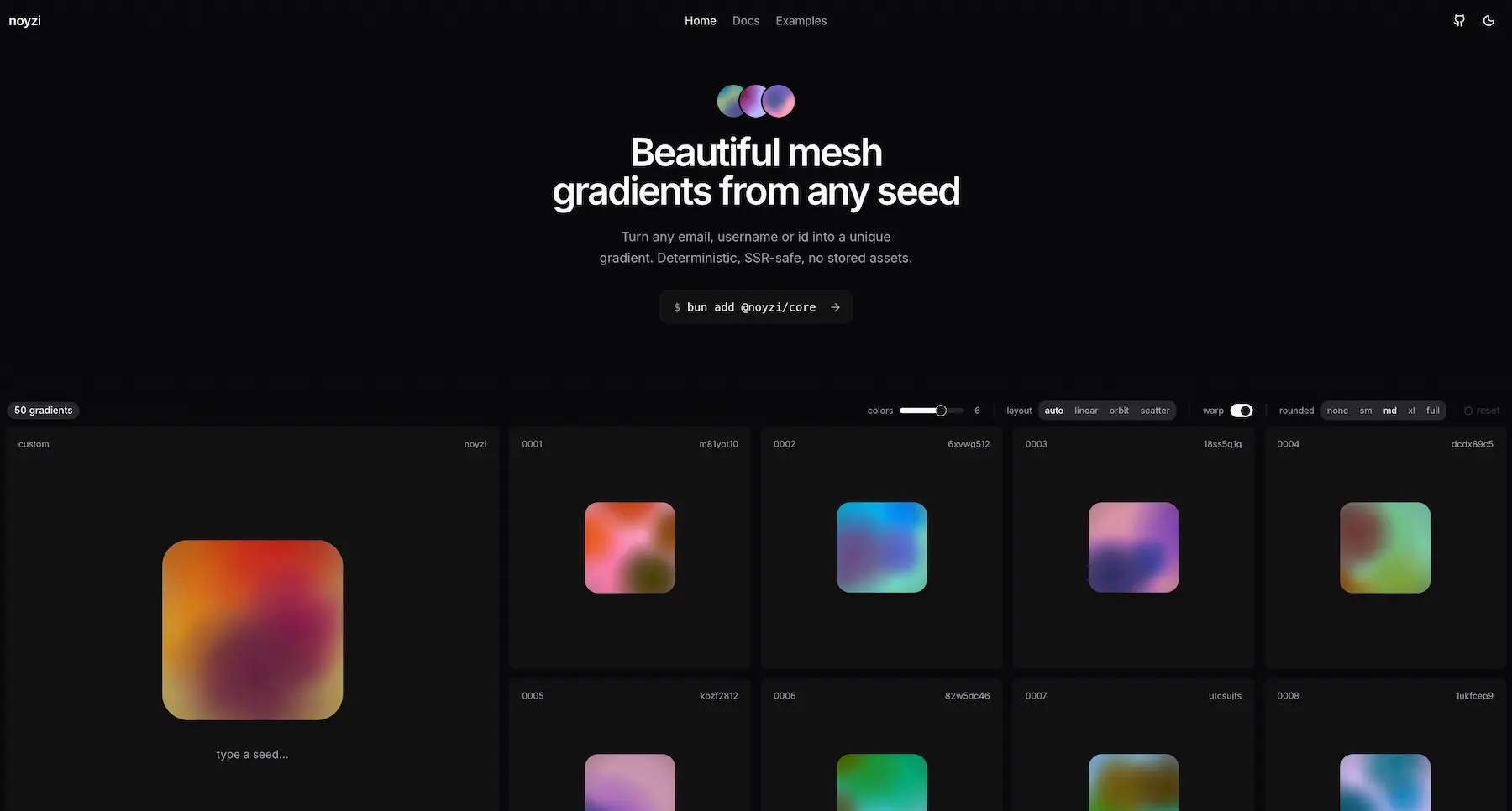
noyzi turns any seed — email, username, id — into a structured gradient. Deterministic: same seed, same gradient, server and browser. No stored assets.
npm install @noyzi/core @noyzi/reactThe packages
- @noyzi/core — framework-agnostic, zero-dependency engine: seed →
GradientSpec→ CSS / SVG / canvas / image. Runs anywhere. - @noyzi/react —
<NoyziGradient />and<NoyziAnimated />on top: SVG-first rendering with optional WebGL motion. - shadcn —
<NoyziAvatar />and<NoyziImage />as copy-in components: photo when there is one, gradient when there isn't. - img.noyzi.dev — no install: every seed is an image URL in SVG, PNG, JPG, or WebP, for link previews, README banners, and avatars.
- MCP — gradient backgrounds, covers, and avatars for AI assistants.
How it works
seedHash hashes the seed → a seeded PRNG picks a palette and 1–4 organic color fields (generate) → the spec renders through any output. It's a plain object: generate once, render anywhere.
import { NoyziGradient } from "@noyzi/react";

export function Avatar({ email }: { email: string }) {
	return <NoyziGradient seed={email} className="size-10 rounded-full" />;
}
@noyzi/core
generate()
function generate(seed: Seed, options?: GenerateOptions): GradientSpecSeed in, GradientSpec out: the complete requested palette, 1–4 organic structure fields, and an optional vignette. The SVG uses every palette color while the fields preserve deterministic geometry across output formats.
import { generate, seedHash } from "@noyzi/core";

// GradientSpec: { seed, background, palette, fields, vignette }
const spec = generate(seedHash("ada"));
spec.background.hex; // "#1b2a4a"
spec.fields[0].points; // deterministic organic contour

// clean look: no vignette
const flat = generate("ada", {
  palette: ["#f5eee0", "#8fb9be", "#ebdac3"],
  vignette: false,
});

// or a heavier vignette
const moody = generate("ada", { vignette: { strength: 0.3 } });
Try a palette
The first color becomes the background.
Note. palette accepts 2–8 hex colors, with the background first, and overrides colors. Without it, colors clamps to 2–8 (default 4). vignette darkens the edges — strength defaults to 0.08, or disable it with false.
hexToOklch()
type HexColor = `#${string}`
function hexToOklch(color: HexColor): Oklch
Hex → OKLCH for #rgb and #rrggbb colors. Custom palette colors are converted this way inside generate().
hexToOklch("#5da2e8"); // { l, c, h }seedHash()
function seedHash(input: Seed): stringHashes any string or number into an 8-char lowercase base36 seed. Idempotent — already-hashed input passes through unchanged.
seedHash("[email protected]"); // "f12f1h6x"
seedHash("f12f1h6x"); // "f12f1h6x"
isSeedHash()
function isSeedHash(value: Seed): booleanTrue if the value is already a seedHash result (matches /^[0-9a-z]{8}$/).
isSeedHash("f12f1h6x"); // true
isSeedHash("[email protected]"); // false
isSequentialSeed()
function isSequentialSeed(seed: Seed): booleanTrue for safe integer-like seeds such as 42 or "42". seedHash() preserves these values so sequential ids receive evenly spread palette hues.
isSequentialSeed(42); // true
isSequentialSeed("42"); // true
isSequentialSeed("ada"); // false
paletteFromSeed()
function paletteFromSeed(seed: Seed, count?: number): ColorStop[]The deterministic palette family available to a seed. The generator selects a restrained subset for its visible fields. Use it to derive matching UI accents. Count clamps to 2–8 (default 4).
const [background, ...accents] = paletteFromSeed("ada");
background.hex; // "#1b2a4a"
background.oklch; // { l, c, h }
oklchToHex()
function oklchToHex(color: Oklch): stringOKLCH → #rrggbb, gamut-clamped to sRGB. All palette colors are OKLCH internally.
oklchToHex({ l: 0.7, c: 0.15, h: 240 }); // "#5da2e8"toCss()
function toCss(spec: GradientSpec, options?: SvgOptions): CssOutputSpec → complete CSS background properties containing the exact organic SVG. Pass the artwork dimensions when matching another renderer.
const background = toCss(generate("ada"), { width: 480, height: 320 });

<div style={background} />
toSvg()
function toSvg(spec: GradientSpec, options?: SvgOptions): stringThe reference renderer: an SVG string with one continuous palette surface, warped by deterministic low-frequency noise and softly diffused. CSS, canvas, and browser raster outputs draw from it, and toPixels() reproduces it in plain JavaScript. Default 1000×1000.
const svg = toSvg(generate("ada"), { width: 512, height: 512 });toSvgDataUri()
function toSvgDataUri(spec: GradientSpec, options?: SvgOptions): stringtoSvg() wrapped in a data:image/svg+xml URI — drop into background-image or <img src>. This is what <NoyziGradient /> uses. SSR-safe.
const uri = toSvgDataUri(generate("ada"));

<div style={{ backgroundImage: `url("${uri}")` }} />
toPixels()
interface Pixels {
  width: number;
  height: number;
  data: Uint8ClampedArray; // RGBA, fully opaque
}

function toPixels(spec: GradientSpec, options?: SvgOptions): Pixels
Renders the gradient to raw RGBA pixels in plain JavaScript — no browser, canvas, or native code. Use it on servers, workers, and edge functions to make PNG, JPG, or WebP files, then encode with any image encoder. Default 1000×1000.
import sharp from "sharp";

const pixels = toPixels(generate("ada"), { width: 1200, height: 630 });

const jpg = await sharp(pixels.data, {
  raw: { width: pixels.width, height: pixels.height, channels: 4 },
})
  .jpeg({ quality: 92 })
  .toBuffer();
Note. The result matches the browser's SVG rendering closely, including grain, but not byte for byte. For JPG, use a high quality (90+) so the grain survives compression.
toCanvas()
function toCanvas(
  spec: GradientSpec,
  options?: RasterOptions,
): Promise<HTMLCanvasElement>
Creates a <canvas> and paints the gradient, pixel-identical to the SVG. scale multiplies resolution for high-DPI. Browser-only.
const canvas = await toCanvas(generate("ada"), { width: 500, scale: 2 });drawToCanvas()
function drawToCanvas(
  spec: GradientSpec,
  canvas: HTMLCanvasElement | OffscreenCanvas,
  options?: SvgOptions,
): Promise<void>
Paints the exact SVG output onto a canvas you own — for custom resizing and DPR scaling. Browser-only.
const canvas = document.querySelector("canvas");
await drawToCanvas(generate("ada"), canvas, { width: 400, height: 400 });
toAnimatedCanvas()
const ANIMATION_RANGES = {
  speed: { min: 0, max: 10 },
  strength: { min: 0, max: 3 },
};

interface AnimatedCanvasOptions extends RasterOptions {
  maxPixelRatio?: number;
  speed?: number;
  strength?: number;
}

interface AnimatedCanvas {
  canvas: HTMLCanvasElement;
  render(time: number): void;
  resize(): boolean;
  destroy(): void;
}

function toAnimatedCanvas(
  spec: GradientSpec,
  options?: AnimatedCanvasOptions,
): Promise<AnimatedCanvas | null>
Creates a sized <canvas>, loads the SVG texture, and returns its deterministic WebGL 2 liquid renderer. render(0) is the original generated artwork; pass elapsed seconds to later renders. scale multiplies a created canvas's backing resolution, while maxPixelRatio caps responsive resizing. Returns null when WebGL 2 is unavailable. Browser-only.
const animation = await toAnimatedCanvas(generate("ada"), {
  width: 500,
  height: 500,
  scale: 2,
  speed: 3,
  strength: 3,
});

if (animation) {
  document.body.append(animation.canvas);
  const startedAt = performance.now();
  let frame = 0;
  const animate = (now: number) => {
    animation.render((now - startedAt) / 1000);
    frame = requestAnimationFrame(animate);
  };
  frame = requestAnimationFrame(animate);

  window.addEventListener("pagehide", () => {
    cancelAnimationFrame(frame);
    animation.destroy();
  }, { once: true });
}
Note. The returned controller owns the WebGL resources, while you own the animation frame, resize, visibility, and cleanup lifecycle. speed accepts 0–10 and strength accepts 0–3; invalid values throw a RangeError. Use <NoyziAnimated /> when you want those behaviors managed automatically.
createAnimatedCanvasGroup()
function createAnimatedCanvasGroup(): AnimatedCanvasGroup | null

interface AnimatedCanvasGroup {
  register(
    spec: GradientSpec,
    canvas: HTMLCanvasElement,
    options?: AnimatedCanvasOptions,
  ): Promise<AnimatedCanvas | null>;
  destroy(): void;
}
Creates one shared WebGL 2 rendering surface for an animated collection. Every registered visible canvas receives frames from that single context, avoiding per-item WebGL context limits. Returns null when WebGL 2 is unavailable. Browser-only.
const group = createAnimatedCanvasGroup();
if (!group) throw new Error("WebGL 2 is unavailable");

const animations = await Promise.all(
  items.map(({ canvas, spec }) =>
    group.register(spec, canvas, { speed: 3, strength: 3 }),
  ),
);

const startedAt = performance.now();
const animate = (now: number) => {
  for (const animation of animations) {
    animation?.render((now - startedAt) / 1000);
  }
  requestAnimationFrame(animate);
};
requestAnimationFrame(animate);
drawToAnimatedCanvas()
function drawToAnimatedCanvas(
  spec: GradientSpec,
  canvas: HTMLCanvasElement,
  options?: AnimatedCanvasOptions,
): Promise<AnimatedCanvas | null>
Loads the exact SVG surface internally and prepares the same WebGL 2 liquid renderer on a canvas you own. Returns null when WebGL 2 is unavailable. Browser-only.
const canvas = document.querySelector<HTMLCanvasElement>("canvas");
if (!canvas) throw new Error("Canvas not found");

const animation = await drawToAnimatedCanvas(
  generate("ada"),
  canvas,
  { width: 1000, height: 1000, speed: 3, strength: 3 },
);

if (animation) {
  animation.render(0);
}
toBlob()
function toBlob(
  spec: GradientSpec,
  options?: RasterOptions & EncodeOptions,
): Promise<Blob>
Gradient → image Blob. WebP by default at quality 0.9 (~10x smaller than PNG for gradients); browsers without WebP encoding fall back to PNG — check blob.type. For clipboard, uploads, downloads. Browser-only.
const blob = await toBlob(generate("ada"), { width: 1000 });

// ClipboardItem requires PNG — opt out of WebP:
const png = await toBlob(generate("ada"), { type: "image/png" });
await navigator.clipboard.write([
  new ClipboardItem({ "image/png": png }),
]);
toDataUrl()
function toDataUrl(
  spec: GradientSpec,
  options?: RasterOptions & EncodeOptions,
): Promise<string>
Gradient → raster data URL. WebP by default at quality 0.9, PNG fallback where unsupported — check the data:image/... prefix. Browser-only.
const url = await toDataUrl(generate("ada"));
const anchor = document.createElement("a");
anchor.href = url;
anchor.download = url.startsWith("data:image/webp")
  ? "noyzi-ada.webp"
  : "noyzi-ada.png";
anchor.click();
@noyzi/react
<NoyziGradient />
interface NoyziGradientProps extends NoyziBaseProps {
  /** Intrinsic artwork size. Only the aspect ratio affects the
   *  result (the SVG is vector). Defaults to 1000×1000. */
  artwork?: { width?: number; height?: number };
}

interface NoyziBaseProps
  extends Omit<JSX.IntrinsicElements["div"], "children"> {
  seed: Seed;
  options?: GenerateOptions;
}
<div role="img"> with an SVG data-URI background. SSR-safe, zero client JS. Size and shape it with your own CSS — the artwork cover-fills the element. Use artwork to match the aspect ratio of non-square elements.
<NoyziGradient seed="ada" className="size-10 rounded-full" />

<NoyziGradient
  seed="ada"
  artwork={{ width: 1600, height: 400 }}
  className="h-40 w-full rounded-lg"
/>
Select a avatar to copy its exact component.
c 3
v off
c 5
v .12
c 6
v .18
c 4
v off
c 7
v .32
- Colors (c)
- Palette size, including the background. More colors add more blended regions.
- Vignette (v)
- Darkens the outer edge. Higher strength creates a moodier frame.
<NoyziAnimated />
interface NoyziAnimatedProps extends NoyziBaseProps {
  artwork?: { width?: number; height?: number };
  speed?: number;
  strength?: number;
}
Starts as the exact NoyziGradient SVG, then eases into fluid WebGL motion.
- Initial frame: Deterministic, SSR-safe, and identical to NoyziGradient.
- Motion: Seed-specific bands drift, split, merge, and orbit.
- Lifecycle: Pauses offscreen, respects reduced motion, and keeps the SVG fallback when WebGL 2 is unavailable.
<NoyziAnimated
  seed="ada"
  speed={3}
  strength={2.4}
  className="size-20 rounded-full"
/>

<NoyziAnimated
  seed="ada"
  speed={3.8}
  strength={3}
  className="h-48 w-full rounded-2xl"
/>
Select an animated avatar to copy its exact component.
c 3
v off
spd 2.2 · str 1.6
c 5
v .12
spd 2.7 · str 2
c 6
v .18
spd 3.2 · str 2.5
c 4
v off
spd 3.8 · str 2.2
c 7
v .32
spd 2.5 · str 3
- Colors (c)
- Palette size, including the background. More colors add more blended regions.
- Vignette (v)
- Darkens the outer edge. Higher strength creates a moodier frame.
- Speed (spd)
- Scales the seeded liquid current and local field motion.
- Strength (str)
- Controls how far the liquid ribbons travel and curl.
Note. speed accepts 0–10 and strength accepts 0–3; invalid values throw a RangeError. Each NoyziAnimated owns its WebGL context. For a large list or grid, wrap the collection in NoyziAnimatedGroup.
<NoyziAnimatedGroup />
interface NoyziAnimatedGroupProps {
  children: ReactNode;
  frameRate?: number;
  maxPixelRatio?: number;
}
Shares one WebGL renderer across a large collection of animated gradients.
- Best for: Long lists, avatar collections, and dense grids.
- Shared resources: One visibility-aware WebGL 2 context and one animation scheduler.
- Offscreen items: Release their renderer resources automatically.
<NoyziAnimatedGroup frameRate={45} maxPixelRatio={1.25}>
  <div className="grid grid-cols-6 gap-4">
    {items.map((item) => (
      <NoyziAnimated
        key={item.id}
        seed={item.id}
        speed={3}
        strength={3}
        className="size-20 rounded-full"
      />
    ))}
  </div>
</NoyziAnimatedGroup>
Note. For one animation or a small handful, use NoyziAnimated directly. Defaults: frameRate 45, maxPixelRatio 1.25.
shadcn
<NoyziAvatar />
npx shadcn@latest add https://noyzi.dev/r/noyzi-avatar.jsonAn avatar for shadcn/ui projects. It shows the user's photo, and their own gradient while it loads, when there's no photo, or when the link is broken. The code lands in your components folder, so you can change anything.
- seed: Something stable per user: id or email.
- src: The photo. Optional; null and undefined are fine.
- fallback: Shown on the gradient when there's no photo, like initials.
import { NoyziAvatar } from "@/components/noyzi-avatar";
<NoyziAvatar
seed={user.email}
src={user.image}
alt={user.name}
fallback={user.initials}
className="size-10"
/> photo
photo broken link
<NoyziImage />
npx shadcn@latest add https://noyzi.dev/r/noyzi-image.jsonAn image with a gradient placeholder. The gradient shows while the image loads and stays if it fails, so covers and thumbnails never look broken. The seed defaults to src.
- className: Sizes the wrapper, e.g. aspect-video rounded-lg.
- imageClassName: Goes on the <img>, e.g. object-top.
import { NoyziImage } from "@/components/noyzi-image";

<NoyziImage
  src={post.cover}
  seed={post.slug}
  alt={post.title}
  className="aspect-video rounded-lg"
/> imagebroken link
img.noyzi.dev
Image URLs
https://img.noyzi.dev/v1/{seed}.svg
https://img.noyzi.dev/v1/{seed}.png
https://img.noyzi.dev/v1/{seed}.jpg
https://img.noyzi.dev/v1/{seed}.webp
Every seed has a public image URL — no install, no key. Use it anywhere an image goes: link previews, README banners, avatars, emails. The seed is the path, so slashes are fine (user/repo), and it gives the same gradient as <NoyziGradient seed="..." />.
- Forever: A v1 URL always returns the same image, so it's cached for a year at the edge and in browsers.
- Formats: SVG is the smallest and sharpest. WebP is the best raster for websites. Use JPG for Open Graph images and email, where SVG and WebP aren't always accepted, and PNG when you need lossless.
- Anywhere: CORS is open, so you can also fetch the images from your own code.
<img src="https://img.noyzi.dev/v1/ada.svg" width="40" height="40" alt="" />

<img src="https://img.noyzi.dev/v1/breeg554/noyzi.svg?w=1280&h=320" alt="" />
Options
w         width in px. Default 1000
h         height in px. Default 1000
colors    2-8. Default 4
palette   2-8 hex colors without #, background first
vignette  0-1, or false
The same options as generate(), passed as query parameters. SVG goes up to 4096 px per side, PNG, JPG and WebP up to 2400. Unknown or invalid parameters return a 400 with a readable message.
https://img.noyzi.dev/v1/ada.png?w=512&h=512
https://img.noyzi.dev/v1/ada.svg?colors=6&vignette=false
https://img.noyzi.dev/v1/brand.jpg?palette=0b1020,ff5a5f,ffd166
Note. Use either colors or palette, not both.
Open Graph images
https://img.noyzi.dev/v1/{slug}.jpg?w=1200&h=630Give every page its own link preview: use the page slug as the seed. Social sites don't show SVG and some skip WebP, so use JPG at 1200×630.
<meta property="og:image" content="https://img.noyzi.dev/v1/my-first-post.jpg?w=1200&h=630" />
<meta property="og:image:width" content="1200" />
<meta property="og:image:height" content="630" />
<meta name="twitter:card" content="summary_large_image" />Versions
https://img.noyzi.dev/v1/{seed}.svg      never changes
https://img.noyzi.dev/latest/{seed}.svg  redirects to the newest version
If the renderer ever changes how gradients look, it ships as /v2 and /v1 stays the same. Link to /v1 when the image must never change; use /latest to always get the newest look.
MCP
Connect via MCP
https://noyzi.dev/mcpGradient backgrounds, covers, and avatars for AI assistants. Connect your MCP client to this URL.
generate_gradient
seed      required string, 1–256 characters
palette   optional 2–8 #rrggbb colors, background first
width     positive integer in px. Default 1000
height    positive integer in px. Default 1000
format    png | webp | jpg | svg. Default png
Returns a gradient image URL from a seed, with optional colors, size, and format.
{
  "name": "generate_gradient",
  "arguments": {
    "seed": "summer-launch",
    "palette": ["#fff4df", "#ff9166", "#eaa0c5"],
    "width": 1600,
    "height": 900,
    "format": "png"
  }
}
Output lab
Compare the same gradient across every renderer. CSS and React wrap the reference SVG, while canvas and raster outputs draw from it. Raster weight varies by seed, dimensions, quality, and browser encoder.
Same seed · 480×320 · sizes measured in your browser
CSS background
toCss()
%22%3E%3Crect%20x%3D%22-240%22%20y%3D%22-160%22%20width%3D%22960%22%20height%3D%22640%22%20fill%3D%22url(%23mzvhoy0-g)%22%2F%3E%3Cellipse%20cx%3D%22296.98%22%20cy%3D%22204.1%22%20rx%3D%22161.74%22%20ry%3D%22150.79%22%20transform%3D%22rotate(166.8%20296.98%20204.1)%22%20fill%3D%22url(%23mzvhoy0-p0)%22%2F%3E%3Cellipse%20cx%3D%22257.95%22%20cy%3D%22-20.42%22%20rx%3D%22129.09%22%20ry%3D%22142.28%22%20transform%3D%22rotate(-83.51%20257.95%20-20.42)%22%20fill%3D%22url(%23mzvhoy0-p1)%22%2F%3E%3Cellipse%20cx%3D%22182.7%22%20cy%3D%22238.42%22%20rx%3D%2277.99%22%20ry%3D%2285.24%22%20transform%3D%22rotate(44.5%20182.7%20238.42)%22%20fill%3D%22url(%23mzvhoy0-d)%22%2F%3E%3Cellipse%20cx%3D%22307.73%22%20cy%3D%22107.64%22%20rx%3D%22102.29%22%20ry%3D%2266.39%22%20transform%3D%22rotate(63.22%20307.73%20107.64)%22%20fill%3D%22url(%23mzvhoy0-h)%22%2F%3E%3C%2Fg%3E%3Crect%20width%3D%22480%22%20height%3D%22320%22%20fill%3D%22url(%23mzvhoy0-v)%22%2F%3E%3Crect%20width%3D%22480%22%20height%3D%22320%22%20opacity%3D%220.06%22%20filter%3D%22url(%23mzvhoy0-n)%22%2F%3E%3C%2Fsvg%3E)
SVG
toSvg()
React
<NoyziGradient />
Canvas
drawToCanvas()
WebP
toBlob({ type: "image/webp" })
PNG
toBlob({ type: "image/png" })